


Miranda Moore
RDA Lead Assistant, Beacon Dentistry
01/16/2024
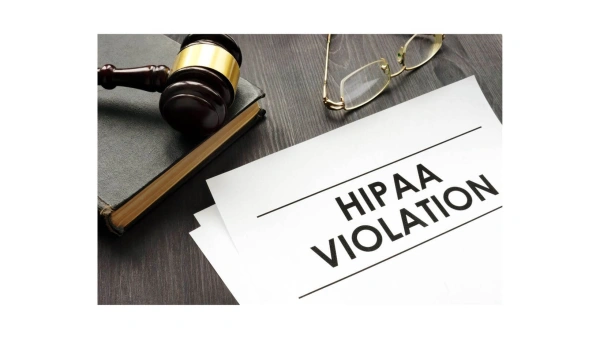
8 Common HIPAA Violations in Dental Practices (With Examples)

~ 7 minutes to read
Dental practices face serious HIPAA violations that can result in fines up to $50,000 per violation. The most common HIPAA violations in dental offices include lack of employee training, missing business associate agreements, failure to post privacy notices, and sending patient information through unsecured email. This guide provides specific examples of each violation and step-by-step instructions to avoid them in your dental practice.
Quick Summary: The 8 Most Common HIPAA Violations in Dental Offices**
- Lack of employee training on privacy rules
- Missing privacy and security policy documents
- No business associate agreements with vendors
- Notice of Privacy Practices not posted or available
- Skipping the annual Security Risk Assessment
- Ignoring problems found in security assessments
- Allowing unauthorized access to patient records
- Sending patient info through unsecured email
Read below for detailed examples and prevention steps for each violation.
Violation #1: Lack of HIPAA Employee Training in Dental Offices
All employees, both administrative and clinical, must receive initial training (i.e., when they are hired) as well as annual training updates. Training topics must cover the provisions of the Privacy Rules, Security Rules, and Breach Notification Rules. Training can be provided by a knowledgeable member of the team, an outside consultant/trainer, or through video and online training programs. If a prerecorded video program is used, the employer or practice administrator must plan for answering employee questions regarding the training information presented. A dental practice must keep records of all HIPAA training and will need to produce those records in the event of an audit or complaint.
Violation #2: Missing Privacy and Security Policy Documents
A key component of HIPAA compliance is a written set of policies and procedures for providing for the privacy and security of patients’ protected health information (PHI). A dental practice can access templates for these policies from the DHHS at hhs.gov/hipaa/for-professionals/privacy/guidance, by working with a HIPAA consultant, or by purchasing a HIPAA compliance manual from various sources, such as the American Dental Association at engage.ada.org/p/pb/the-ada-complete-hipaa-compliance-kit-1394.
Violation #3: No Business Associate Agreements (BAAs) with Vendors
Business Associate Agreements are essentially contracts between a covered entity (dental practice) and a business or support service who need to access patient PHI to provide their services. This also includes any contractors that a business associate utilizes to provide services to the dental practice. The purpose of this agreement is to ensure that the business associate provides all necessary safeguards to protect the privacy and security of the dental practice’s PHI. Some examples of business associates are consultants, technology support companies, software vendors, and healthcare claims clearing houses.
Information on Business Associate Agreements is available from DHHS at hhs.gov/hipaa/for-professionals/covered-entities/sample-business-associate-agreement-provisions or from a HIPAA consultant or a purchases HIPAA compliance manual.
Violation #4: Notice of Privacy Practices Not Posted or Accessible
The HIPAA privacy rules require that a covered entity/dental practice develop a Notice of Privacy Practices (NPP), which details the ways in which the practice protects the privacy of PHI and how it may be used for Treatment, Payment, and Operation of the practice. This document must be posted in a prominent place where patients have access to it, including on the practice’s website, and a copy must be provided to a patient or parent on request. Since this document is several pages long, it may take up a fair amount of space if it is framed and hung on the wall. An option would be to format the document into a foldable brochure (printed in landscape format) and place it in a brochure holder in the reception area. Copies can also be laminated and available in the check-in area of the front desk. The NPP must indicate the name of the privacy officer/manager, how to contact them, and how to file a complaint. If the person designated as the privacy officer changes, the NPP must be updated. A template for a NPP is available from the Dept. of HHs at: hhs.gov/hipaa/for-professionals/privacy/guidance/model-notices-privacy-practices.
Currently, the HIPAA rules require that patients/guardians sign an acknowledgment that they have been given access to the NPP, which is commonly referred to in practices as the “HIPAA form”. Proposed changes to the HIPAA rules indicate that this may not be necessary when these changes become effective (possibly in 2024). It is important to note, however, that practices should continue to obtain this acknowledgment for now, along with the names of individuals with whom the practice may communicate about the patient’s treatment. This would include spouses, parents of dependent children who are over 18 years of age, and adult children of elderly patients. Parents and guardians of minors always have the right to discuss treatment.
Violation #5: Skipping the Annual Security Risk Assessment
This provision of the HIPAA Security Rules is critical to the safety of electronic data in a practice. The purpose of this document is to assess whether there are risks to the security of PHI in the practice, rate the severity of the risk, and develop a strategy and timeline for mitigating those risks. Some of the information that is addressed on an assessment form may be beyond the expertise of the security officer or practice owner. Working with a technology support provider is a good practice for completing this assessment. The Dept. of HHS has an online SRA available at: hhs.gov/hipaa/for-professionals/security/guidance/guidance-risk-analysis.
Violation #6: Ignoring Security Risk Assessment Problems
A key mistake that many dental practices make is to complete the assessment form each year, but not address any of the risks that have been identified. In cases of HIPAA audits or investigations of complaints, the HIPAA auditors/investigators ask to see and thoroughly review the SRAs for a covered entity/practice. If any items identified as risks have been continually identified, but not addressed, citations and fines will be assessed.
Violation #7: Unauthorized Access to Patient Records
This issue has many facets. It may include access to paper records or electronic records. In the case of paper records/charts and other documents with PHI, those documents must be kept secure, especially if there are cleaning professionals (who are not employees) who are present in the office after hours. The patient charts should be stored in lockable file cabinets or in a locked room, that only employees have access to. These service providers are not covered by BAAs, since their job doesn’t require them to access patient information. Cleaning staff and other service providers who may be at the office after hours when no employees are present should have a signed confidentiality agreement, in the case of patient information that may not be secure.
Securing electronic PHI begins with using secure passwords for logging in to the practice management software. Each team member that has access to the software must have their own password. Technology experts say that passwords should be as long as the software allows (up to 20 characters), including upper and lower case letters, numbers, and special symbols, such as #, $,!. Passwords need to be changed regularly and most practice management software programs now have a default of 60 – 90 days for changing passwords. Team members should never use another team member’s password for logging in, nor should they disclose their password to anyone outside of the practice. A common practice is to write the password for a workstation on a sticky note and place it somewhere on the keyboard or monitor. This practice is not allowed.
When team members leave their workstations for longer than a few minutes, or for lunch, they should either log out or lock the screen to prevent unauthorized access. Locking the screen is achieved by a number of keystrokes, and then repeating those keystrokes to unlock it upon returning to the workstation. Some software will allow the creation of a “hot key” that will execute this command. Check with your software provider to determine how to do this. Another way to lock the screen is to press the ctrl, alt, and del keys at the same time. This will either cause the screen to go blank or bring up the task manager. If the task manager comes up, select the lock, and the screen will go blank. Performing this same task on returning will again bring up the task manager and require logging back into the software. The user will be taken back to the patient record or task that they were working on when they locked the screen.
Violation #8: Sending Patient Info Through Unsecured Email
There has been a great deal of resistance on the part of dental practices to adopt safe transmission practices with patient information. As many practices are utilizing digital radiography, emailing copies of these images is easy and convenient, when making referrals, or for transferring patients. But emailing this PHI through unsecure email channels is risky since the email can be intercepted during transmission. In most cases, the information that dental practices send is not highly sensitive, but if the message and attachment are not encrypted, it can allow hackers access to the practices’ server where the images are stored. Email hacking is also a security risk in that it can be infected with viruses and other malware.
Dental practices should first use secure email. Secure email is achieved by utilizing the email services connected to the practice website, or by redirecting an existing Gmail or other account to a secure portal. Technology and web support services can assist with this. The benefit of using a secure email portal is that it greatly reduces the possibility of being hacked. Gmail, Yahoo, and other free email providers do not have the level of security needed for HIPAA compliance.
Even if the practice is using secure email, any attachments with patient information must be encrypted, or transmitted through a virtual private network (VPN). Encryption typically requires a subscription to an app that copies the attachments, secures them in a vault, and makes them available to a recipient who logs in to the encryption service vault. Some of the encryption services can be integrated into the practice management software, requiring fewer steps to send the email and attachments.
Frequently Asked Questions About HIPAA Violations in Dental Practices
Q: What are examples of HIPAA violations in dental offices?
A: The most common examples include: employees not receiving annual HIPAA training, discussing patient information where others can hear, leaving patient charts visible in treatment rooms, failing to lock computers when stepping away, and emailing x-rays without encryption. These violations can result in fines ranging from $100 to $50,000 per incident.
Q: Are dentists covered by HIPAA?
A: Yes, all dental practices are covered by HIPAA rules. This includes dentists, dental hygienists, office staff, and anyone who has access to patient records. HIPAA has applied to dental offices since 2003.
Q: How can you violate HIPAA in dentistry?
A: You can violate HIPAA by: not training staff, leaving patient information visible, discussing cases in public areas, failing to get patient consent before sharing information, not having a privacy officer, using unsecured email for patient data, or allowing unauthorized people to access records.
Q: What happens if a dental office violates HIPAA?
A: HIPAA violations can result in fines from $100 to $50,000 per violation. In serious cases, criminal charges can lead to fines up to $250,000 and prison time. The Office for Civil Rights (OCR) investigates all complaints and can audit any dental practice.
Q: Do dental offices need business associate agreements?
A: Yes, dental offices must have signed business associate agreements (BAAs) with any vendor who handles patient information. This includes software companies, billing services, IT support, shredding companies, and cloud storage providers.
Need Help with HIPAA Compliance for Your Dental Practice?
ZenOne provides HIPAA-compliant technology solutions designed specifically for dental offices. Our systems include encrypted email, secure patient portals, automatic security assessments, and staff training resources. Learn More About Our Solutions
Summary:
HIPAA rules exist for the protection of patient information and to protect a dental practice from liability if that information is accessed inappropriately. Protecting the privacy and security of patient’s information is not only a legal issue but an ethical issue as well. If a practice strives to provide the highest level of care, that includes protecting the patients’ information. Privacy and security issues are also good business practices, which all dental practices need to follow.
Join 1200+ dental professionals, shop from your favorite
suppliers, compare prices instantly, and save over $17,000/year
Try our platform free for 14 days.
Get the latest ZenOne updates and product launches in your inbox
Don't miss the latest news!
Receive exclusive offers and news straight to your inbox!
Continue reading
02/19/2026
~ 13 minutes to read
02/19/2026
~ 3 minutes to read
02/12/2026
~ 8 minutes to read
Let's discover how we can help you

Tiger Safarov
Hi, I'm Tiger, the CEO at ZenOne, and I'm happy to personally ensure your success with ZenOne. Send me your latest invoice or a statement for a Free Savings Analysis.
Ask me a question:

