


Miranda Moore
RDA Lead Assistant, Beacon Dentistry
ZenOne Webinar
Sherrie Busby ft. Maria Jackson:
Sherrie Busby ft. Maria Jackson:
“Human + AI: Communication, Collaboration & Performance in Dentistry”
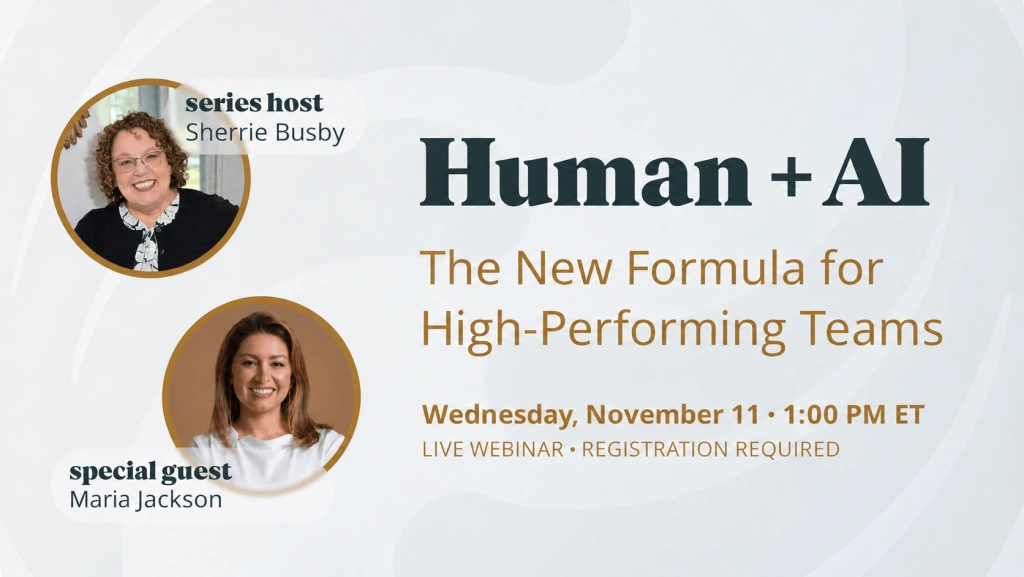
AI is already in the dental office. But how do you get your team comfortable using it? Sherrie Busby and Maria Jackson explore practical ways to bring AI into everyday workflows, explain findings more clearly to patients, and create more time for the human side of care.
Originally presented November 11, 2026 • Webinar Replay
Watch the webinar replay
Course Description
In this session, Sherrie Busby speaks with Maria Jackson about how dental teams can combine their clinical experience, communication skills, and empathy with AI-supported workflows.
The conversation explores practical uses of AI in patient education, imaging, front desk communication, voice periodontal charting, and clinical documentation. It also addresses a common implementation challenge: having technology in the practice without helping the whole team use it consistently.
Through practice examples and questions, participants will learn ways to introduce new tools gradually, support hesitant team members, clarify each person’s role, and keep patient connection at the center of the process. The discussion also touches on reviewing software limitations and privacy considerations before using tools with patient information.
This program is complimentary. No fee is required to view the program.
Educational Objectives
Upon completion of this program, participants will be able to:
- Identify examples of AI-supported workflows in dental practices, including imaging, patient communication, periodontal charting, and documentation.
- Describe how visual tools can support patient education while the dentist remains responsible for diagnosis and treatment recommendations.
- Outline a gradual implementation approach using small goals, peer support, and regular team check-ins.
- Recognize opportunities to reduce repetitive administrative work and create more time for personal patient interactions.
- Explain how dental assistants, hygienists, front office staff, and dentists can coordinate their use of new technology.
- Identify questions to review about software capabilities, patient information, and the accuracy of AI-assisted documentation.
Teaching methods

Live webinar
Structured conversation between host and subject-matter expert
Structured conversation between host and subject-matter expert

On-demand recording
Full replay available after the live program
Full replay available after the live program

Live Q&A
Host questions and audience discussion during the session
Host questions and audience discussion during the session

Session notes
Written key takeaways and a transcript of the session
Written key takeaways and a transcript of the session
Intended Audience & Prerequisites
This program is designed for dental team members who use, introduce, or support technology in everyday practice workflows, including:
- Dental assistants
- Dental hygienists
- Front office and patient care coordinators
- Office managers and practice administrators
- Dentists and practice owners
- Team members responsible for training or technology implementation
Basic familiarity with dental office workflows is helpful. No advanced knowledge of artificial intelligence or programming is required.

About the Presenters
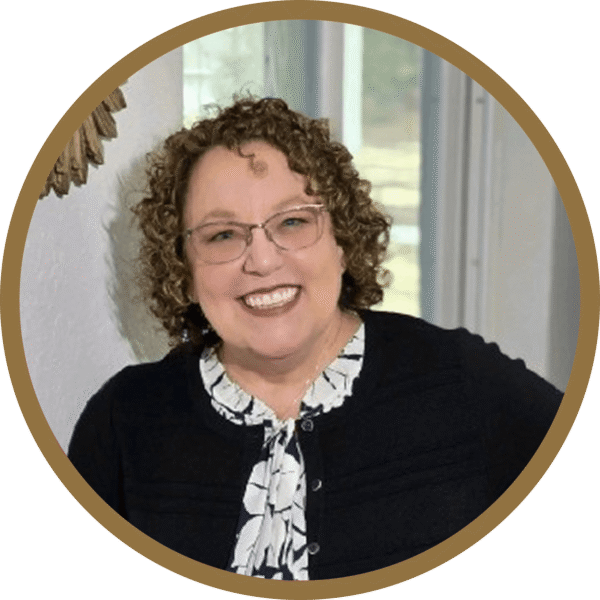 |
Sherrie Busby, EDDA, CDSO, CDIPC | HostFlorida Expanded Duties Dental Assistant; Certified Dental Specialist — OSHA (Dental Compliance Institute); Certified in Dental Infection Prevention and Control (DANB DALE & ADS / OSAP). 40+ years of clinical and educational experience in dentistry. Former DA and OSHA/Infection Control Training Developer at Heartland Dental (2014–2025), supporting training for 1,800+ dental offices. |
 |
Maria Jackson | Featured GuestMaria Jackson is a dental hygienist with more than 20 years of experience in the dental industry. After returning to school for a master’s degree in AI, she transitioned into working with AI and technology startups on product development and bringing solutions to market. She also helps dental professionals explore non-clinical career opportunities. Her work connects clinical experience with practical technology adoption, team education, and everyday dental workflows. |
Q&A from the webinar
Will AI replace dental team members?
Will AI replace dental team members?
Maria frames AI as a way to support the team’s work and create more time for patients. She emphasizes that empathy, conversation, and professional judgment remain central to care, while encouraging dental professionals to keep learning as technology changes.
How can AI help patients understand their X-rays?
How can AI help patients understand their X-rays?
The discussion uses color-coded imaging as an example of making findings easier to explain. Maria notes that patients may struggle to interpret shades of gray, while visual highlights can support the conversation. The dentist still reviews the findings and makes the diagnosis and treatment recommendations.
How do we help a team that is hesitant to use new technology?
How do we help a team that is hesitant to use new technology?
Maria recommends starting with small, achievable goals rather than expecting everyone to change immediately. Examples include using the tool with one patient in the morning and one in the afternoon, pairing colleagues through a buddy system, and discussing challenges during regular team check-ins.
Can automated communication still leave room for a personal response?
Can automated communication still leave room for a personal response?
Yes. Maria discusses choosing which routine questions or reminders a system handles and which conversations need more individual attention. The team can review communications where the software allows and focus personal responses on situations that need context, empathy, or follow-up.
What does voice periodontal charting change in the daily workflow?
What does voice periodontal charting change in the daily workflow?
Maria describes calling out measurements into a microphone while the software records them. In her example, this reduces the need to interrupt another team member for data entry and creates an opportunity to explain the measurements to the patient during the exam.
What if the AI tool makes mistakes or does not work as expected?
What if the AI tool makes mistakes or does not work as expected?
Maria encourages teams to work with the vendor and customer success team rather than abandoning the tool at the first difficulty. The conversation emphasizes learning the system, discussing problems together, and checking that the workflow works for the practice.
What should teams consider before using AI for clinical notes?
What should teams consider before using AI for clinical notes?
The speakers discuss voice scribes and existing practice management templates, including differences in customization. They also raise privacy considerations when choosing tools for patient information. Teams should review the specific system and make sure the final note accurately reflects the individual patient encounter.
Key takeaways from the session

Start Small and Build Confidence
Introduce a tool with a manageable number of patients, then increase use as the team becomes comfortable.
Introduce a tool with a manageable number of patients, then increase use as the team becomes comfortable.
Make Adoption a Team Effort
Pair colleagues, choose people to lead the learning process, and keep discussing what works and what needs help.
Pair colleagues, choose people to lead the learning process, and keep discussing what works and what needs help.
Use Visuals to Support Understanding
AI-supported imaging can help explain findings, while the dentist remains responsible for clinical decisions.
AI-supported imaging can help explain findings, while the dentist remains responsible for clinical decisions.
Free Up Time for Patient Connection
Look for repetitive calls, reminders, and data entry that could take less staff time, then use that time for personal care and follow-up.
Look for repetitive calls, reminders, and data entry that could take less staff time, then use that time for personal care and follow-up.
Give Every Role a Clear Part
Agree on how assistants, hygienists, front office staff, and dentists will use the tools and communicate consistently with patients.
Agree on how assistants, hygienists, front office staff, and dentists will use the tools and communicate consistently with patients.
Review the Tool and the Output
Understand the software’s capabilities, review its handling of patient information, and check AI-assisted records before relying on them.
Understand the software’s capabilities, review its handling of patient information, and check AI-assisted records before relying on them.
Additional Resources
1. Maria Jackson | Dental AI Solutions
Connect with the featured guest and explore her work on dental technology and non-clinical career development.
2. Maria Jackson | Social Links
Follow Maria for updates on dental AI, educational content, and non-clinical career opportunities.
3. Bola AI | Voice Perio
Explore the voice periodontal charting tool mentioned during the session, including its workflow and practice management integrations.
4. American Dental Association | Digital Dentistry and Technology
Explore ADA resources on artificial intelligence, electronic health records, practice management systems, and digital workflows.
Webinar Transcript Sherrie Busby and Maria Jackson discuss practical ways dental teams can combine AI-supported workflows with patient education, teamwork, and personal care. Read More Show Less
Welcome and introductions
Sherrie Busby 06:01
Thank you for joining us for ZenOne’s Better Results on Purpose. My name is Sherrie Busby, and today we’re going to talk with my friend Maria. We have more conversations coming up about emergency kits, ergonomics, storage, and dental supplies. They’re designed to help your day go better.
Sherrie Busby 07:40
Follow ZenOne and Dental Assistant Connection on social media for upcoming guests and registration links. We generally host these conversations on the second and fourth Wednesdays, although we sometimes adjust the schedule for special occasions or guests.
Meet Maria Jackson
Sherrie Busby 08:33
Maria and I have known each other for about six or eight months. She is not only a lot of fun, but she knows so much about AI. Maria, tell us more about who you are and what you do.
Maria Jackson 09:06
Thank you so much for having me. I’m a dental hygienist by trade, and I’ve been in the dental industry for over 20 years. My dad is a retired oral surgeon, which is how I got started. I never really looked at another career because I loved dentistry so much. I chose preventive care and spent about 15 years in dental hygiene.
At some point, I made a career pivot. I went back to school, got my master’s in AI, and now I mainly work with AI and technology startups. I help with product development, bringing products to market, and other areas where they need support. I also have my own business helping dental professionals transition into non-clinical roles.
Sherrie Busby 10:12
Maria also has a webinar coming up about opportunities outside clinical practice. Dentistry can be physically demanding. I’ve been in the field for over 40 years, and there have been so many changes and advances. Sometimes, though, working chairside takes a toll on your back, especially when dental assistants have to work around the doctor to see and do their job.
I love that there are ways to stay in the field we love and serve it in a different way. Maria is helping people learn about those options. Where can they find you?
Maria Jackson 11:48
My website is mariadentalai.com. People can also follow me on social media and find my links through Linktree.
Will AI replace dental team members?
Sherrie Busby 12:21
We’re talking about humans and AI. Last night, I was in a meeting preparing for Chicago Midwinter, and people were saying there would be no jobs because AI was taking over. I don’t think that’s accurate. Maria, tell us about that concern in dentistry.
Maria Jackson 13:00
I believe AI can elevate your career if you choose to learn it. If you don’t, you may start to feel behind. Think about the transitions from film X-rays to digital imaging or from paper charts to practice management software. Now we’re adapting to AI.
Things change quickly, even for me. Platforms such as ChatGPT and Claude are constantly evolving, and dental software is changing too. New companies are emerging and existing systems are adapting.
It’s not simply a matter of a robot coming in to do your job. There is still empathy and dialogue with the patient. AI is there to help with your work so you can spend more quality time talking with patients. But you do need to keep learning as the technology grows.
Sherrie Busby 14:46
We have to use it to our advantage and think about how it can help us improve. Maria recently posted instructions for creating an AI image while keeping the person’s likeness. I tried the prompt, and the result was impressive. What made it work was the direction in the prompt. That’s an example of the human contribution: giving the tool useful instructions and helping it produce the result you want. What does Human + AI mean in the dental office?
Human + AI and patient education
Maria Jackson 16:46
It means adapting to the technology and growing with it. As clinicians, we understand dentistry. The question is how to help patients understand what’s happening in their mouths.
Take imaging software as an example. You, the doctor, and I spent weeks and months learning to interpret X-rays. When we point at an image and tell a patient what something means, they may not understand the shades of gray the way we do.
AI-supported imaging can add color highlights that help us explain what we’re seeing. You can point to a highlighted area and discuss what the software is identifying. The doctor still comes in, validates the findings, and tells the patient what they need. The tool supports education; it does not replace that clinical role. There are other tools that can help with patient education too.
Helping a hesitant team get started
Sherrie Busby 18:22
What about team members who are reluctant to use it? I asked a dental assistant at my own dentist’s office how things were going with AI, and the response was, “We don’t use that.” How should an office manager, doctor, or team leader help people become comfortable with the technology?
Maria Jackson 19:10
It’s similar to introducing a new scanner, imaging system, or any other technology. People need time to adapt. It also starts with leadership. Whether it’s the doctor, office manager, lead assistant, or lead hygienist, the person leading the team needs to empower everyone to use it.
Every person in the office is valuable. Each has a role, perspective, and relationship with patients. Sometimes a patient connects particularly well with an assistant or hygienist because of that personal connection and empathy.
Maria Jackson 20:14
Take it step by step. Don’t expect the whole team to use new equipment immediately. Set small goals. For example, try the imaging software with one patient in the morning and one in the afternoon. Then build up to two patients, three patients, and eventually more consistent use.
As people start using it, come back together during a huddle, after lunch, or before the end of the day. Talk about what was challenging and how to work through it. That way, nobody feels they’re the only person having trouble. Keep everyone on the same page and explain why consistent use matters.
Sherrie Busby 21:42
Scanners are a good example. Not every private practice has one, although there are more ways to make them affordable, including arrangements with labs. But buying the scanner doesn’t help if it sits in the corner because people feel intimidated.
Someone may take 20 minutes to get a scan and decide they’ll never learn it. What practical implementation steps would you suggest?
Buddy systems and implementation
Maria Jackson 23:07
Try a buddy system. Choose someone to lead the learning process and pair colleagues who can support each other. Some people naturally adopt technology quickly, while others prefer what they already know. Partnering with someone can make a new tool feel less intimidating.
Talk about the challenges, what could improve, and what colleagues are doing successfully. Someone may have found an approach that another team member hasn’t considered. If you simply say, “I want everyone to use this,” and only ask how it’s going a week later, you haven’t given people much support.
Maria Jackson 24:28
You can also make learning more engaging. For example, if you’re introducing a scanner, you might create a raffle or another incentive for practicing with it. Turning the process into a game can help people become more receptive.
I’m competitive, so I would want to do my best and ask questions to improve. That enthusiasm can motivate others. Instead of making the whole process feel like another obligation, find ways to make it enjoyable. These are the people you work with every day, so learn together.
Communication and automation guardrails
Sherrie Busby 26:04
Communication can’t be a one-time conversation. It needs to continue whenever you introduce a new tool. The business team may have the same concerns about a phone system taking their jobs. But automated texts, confirmations, and similar tasks can free time for patient connection. Is that a fair way to look at it?
Maria Jackson 27:03
Yes. It depends on the software and equipment, but you can put guardrails in place and review communications before they go out where the system allows it. It doesn’t have to respond to everyone. You may want to handle situations that need more attention or a tailored response yourself.
I use AI for a number of things, but I still like reading and responding to people personally. You have to decide what works for you and your practice. Not everyone will use the tools in exactly the same way.
Maria Jackson 27:53
Patients often call with recurring questions: What time are you open? Are you closed on a particular day? Do you accept this insurance? A system may be able to handle those routine questions, leaving the team more time for someone in pain or a conversation that needs empathy and personal attention.
You can decide what the software responds to. Handling a simple question can mean one fewer interruption for the team and more attention for the patients who need human interaction.
Sherrie Busby 29:04
When I first met Tiger, he asked me to call a number to schedule a conversation away from the noise of the showroom floor. I called, had a conversation, and got an appointment. Then he told me I’d been speaking with his AI assistant. I hadn’t realized it.
There was a question it didn’t answer quite appropriately, but overall the conversation felt personal. It listened and responded. That experience showed me how a tool like this might help.
In a busy practice, missed calls can create more work and waiting. I had to leave a message this morning because I had a question about a procedure. Now I’m waiting for someone to call back. Technology that helps with those routine interactions could make things easier for patients and the team.
Digital forms and the patient experience
Sherrie Busby 31:12
Online forms are another example. I completed my updated forms and health history on my dentist’s website, then arrived at the office and was handed paper forms. It’s frustrating to take the time to complete something online and then have to do it again.
Maria Jackson 31:39
They’re asking patients to use the technology, but they’re not using the information it collects.
Sherrie Busby 31:42
Exactly. If the office isn’t going to use it, it shouldn’t keep prompting patients to complete the same information online. When the process works, patients can confirm their answers and the information goes into their chart.
That’s easier than having someone decipher handwritten forms and enter them into the computer while the patient or hygienist waits. It’s about improving the patient experience. Some patients will still need help, including some older patients. Save time so you can give those people the extra support they need.
AI support for a busy front desk
Maria Jackson 33:29
Think about calling a dental or medical office and having a poor experience. Someone may answer, rush through the greeting, and immediately put you on hold. Sometimes people don’t bother calling back and go elsewhere.
Even a good front desk team gets busy. A phone system that lets patients finish explaining what they need, summarizes the conversation, and supports scheduling could help. We heard a speaker discuss how poor phone experiences can affect whether people make an appointment.
Sherrie Busby 34:54
I have so much respect for front desk staff. They may be answering phones, arranging payment for treatment happening right now, checking out several patients, and verifying insurance at the same time. It’s a lot to manage.
Maria Jackson 35:38
I’ve worked in large DSOs and seen how much the front desk has to handle. I’ve reassured patients that the team is trying to help and asked them to be patient.
If technology can support phone calls, insurance verification, claims, or reminders, staff can give more attention to the patients standing in front of them. Those repeated confirmation calls can take time from assistants and hygienists too. Reducing that work allows people to focus elsewhere.
Sherrie Busby 36:52
That’s where performance comes in. If a patient is late, the team often has to interrupt someone else to make a call. Depending on what the system is set up to do, a message could ask whether the patient is on the way or needs to reschedule.
Maria Jackson 37:38
Some patients prefer a text because they’re working or can’t answer a call. These tools can also help practices understand how patients respond. If someone consistently responds to text messages rather than calls, that can inform how the practice communicates with them.
Creating time for patient follow-up
Sherrie Busby 38:18
Our daily workflow is busy. We need to use the tools that can help us manage it. Instead of having a hygienist spend time making routine confirmation calls, there may be other ways to use that time.
Maria Jackson 38:56
I didn’t mind helping at the front desk, making calls, or helping a patient with their medical history. My goal was to keep things moving, help colleagues, and make the patient feel good. But it could certainly be easier with support.
Sherrie Busby 39:18
One example is making post-operative or personal follow-up calls instead of routine confirmations. We usually call after complex procedures, but I also like the idea of checking in after a new patient’s first visit, a cleaning, or a single filling.
Patients often think of their questions while driving home rather than while sitting in the chair. A personal call gives them a chance to ask. If technology frees up time, we can use it for those individual interactions.
Voice periodontal charting
Maria Jackson 40:27
I want to talk about periodontal charting. Dental assistants used to help me with it, but they were also taking impressions, making temporary crowns, scheduling patients, and doing many other things. Sometimes I tried to chart myself because I didn’t want to interrupt a colleague.
At one organization, we had automated voice charting. You wore a small microphone and called out the measurements. That meant you didn’t need another person entering them at the computer.
You could explain to the patient what the numbers meant before starting. Then, as you called them out, the patient could listen and take a mental note of what you would discuss afterward. Some patients also feel more comfortable with fewer people around them during an exam.
It helped from a workflow and infection control perspective too. I wasn’t reaching over to touch the computer. I could keep working, call out the measurements, and educate the patient at the same time.
Maria Jackson 42:27
In my experience, those factors helped patients understand and accept the treatment discussion. It also reduced the need for assistants to move back and forth helping with charting. They could focus on their patients, support the doctor, and prepare or turn over rooms. It made things easier for everyone.
Sherrie Busby 42:55
We saw a demonstration in Phoenix. Maria was using a training database and calling out measurements and findings quickly. The charting kept up with her.
Maria Jackson 43:22
I wanted to test it. It was like a race car: how fast could it go?
Sherrie Busby 43:28
And it was fast. There’s also an educational benefit. If a patient hears you say “bleeding” or “suppuration,” they may ask what it means. Then you can explain while you’re doing the exam. They become involved in understanding their own condition.
Maria Jackson 44:08
It can make that conversation easier for someone who is less comfortable introducing a discussion about periodontal disease. You’ve called out the findings, so you can refer back to what the patient heard and explain what it means. That creates a natural transition into the conversation.
Visuals and patient understanding
Sherrie Busby 44:40
Beyond making charting easier, it can bring education to another level. You can connect what you explained during the exam with the annotations on the X-rays. If the imaging tool highlights findings, you can show patients the areas you were discussing.
Maria Jackson 45:32
Visuals are powerful. How often do you scan a patient and hear, “Are those my teeth?” They recognize what they’re looking at. With an X-ray, they may not be able to distinguish caries, bone loss, or calculus. Showing them an image they can understand helps the explanation.
Sherrie Busby 46:11
That brings us back to communication and performance: using these tools to support the work we’re doing.
Collaboration across the dental team
Sherrie Busby 46:26
Collaboration is another part of this. What is a good way for the team to work together when integrating AI into its workflow?
Maria Jackson 46:51
Every team member has something to offer, and every role is different. With imaging, hygienists may discuss pocket depths and bone levels, while the dentist reviews the diagnosis and treatment plan.
Dental assistants can play a role in patient education too. Sometimes they aren’t empowered to speak because there is a concern about diagnosing. But explaining how the practice’s visual tool works or inviting the patient to ask questions is different from making a diagnosis.
You can ask how the patient feels about what they’re seeing. They may explain that it has been a long time since their last visit or that they’ve been caring for someone else and putting their own needs aside. You can be a source of support.
When everyone uses the same tools and communicates consistently, even in different ways, it helps the patient understand what is happening before the doctor comes in.
Maria Jackson 48:57
You need to discuss that workflow with the doctor. Ask what they want you to explain and what role you can contribute. Some doctors prefer team members to discuss certain things and leave other parts of the treatment conversation to them.
Agree on the approach and follow it consistently. When patients understand the findings, they are better prepared for the treatment conversation. Higher acceptance is also about patients understanding their needs.
Sherrie Busby 50:02
Patients came to us because they need something: help with their health, their smile, pain, or simply feeling better about themselves. Even someone who circles the parking lot because they’re afraid has still made the effort to come.
Sometimes people worry that using these tools means selling something. I think of it as providing good oral health and a good experience. These workflows can help us be more productive and better support the people who came to us for care.
Empathy and the patient conversation
Maria Jackson 51:29
How you deliver the message matters. There are many ways to say the same thing, and some are much more helpful than others. AI can help you think about how to tailor your wording to the patient.
A patient may already feel embarrassed. They might walk in saying, “I know I haven’t been in,” or “I know I don’t floss.” They’re already telling you they understand there is something they haven’t done. That’s not the moment to shame them.
Think critically about how you speak so that patients understand, feel supported, and stay engaged in the conversation.
Sherrie Busby 52:51
Communication is valuable, and empathy is central to it. It’s sad when patients feel that a dental visit is just being told what they’re doing wrong. We want a different experience.
For anyone already using AI, how did you get the team on board? What have you learned that could help someone watching the recording later? Share your questions or comments in the chat.
Troubleshooting AI and vendor support
Maria Jackson 54:10
Sometimes people say, “It isn’t working, so I won’t use it.” With voice charting, for example, there may be times when something is glitchy or doesn’t work as expected.
Instead of giving up immediately, work with the company and its customer success team. Your feedback can help them improve the product. Another person helping you would also sometimes make mistakes, so give yourself and the technology some time to work through the problems.
Sherrie Busby 54:59
That reminds me of the AI image I mentioned earlier. It didn’t get everything right either. Natasha has commented that the office isn’t using AI yet, but she likes it for patient education. Maria, you also mentioned tools for personal use. What do you use?
Personal tools and privacy considerations
Maria Jackson 55:45
I use ChatGPT, Gemini, and Claude. For my own note-taking, I also use Pocket AI. But in a dental office, you need to be careful about the tools you choose and make sure they meet the practice’s privacy and security requirements, including HIPAA considerations. Personal use and use in a clinical setting need that distinction.
Sherrie Busby 56:13
Someone mentioned using ChatGPT for Instagram posts. That can be helpful, although if everyone uses the same tools in the same way, the posts can start looking alike. We also have a comment that the hygienists use Bola for periodontal charting.
Maria Jackson 56:33
I have a podcast, and I’m going to speak with Bola’s founder and CEO. I’ve known him for some time, and I like what they’ve created for charting. They have other tools too.
Sherrie Busby 56:55
Follow Maria on social media to keep up with those conversations and her other work around AI.
Clinical notes, templates, and AI scribes
Sherrie Busby 57:11
I also want to talk about notes. A lot of people are using ChatGPT for documentation, but major practice management systems have built-in note templates too.
I’m most familiar with Dentrix. With systems such as Dentrix and Eaglesoft, you can create a template and use prompts or selection boxes for procedure-specific details. For example, a prompt may ask how much anesthetic was used and which anesthetic was selected. Those choices populate the note.
The important thing is that the note is customized for that patient. If you have to type all the procedure details into a general AI prompt to get the note back, you may already be doing much of the writing yourself. A built-in template may make that process easier.
Sherrie Busby 59:40
Voice-to-note tools offer another approach. You can speak, and the system uses the clinical information in the conversation to help with documentation. The speakers’ discussion about the weekend is different from the clinical findings the system is intended to capture.
Voice charting also uses commands. For example, saying “move to gingival margin” tells the system where you want to continue charting. You need to learn how to give those directions.
Sherrie Busby 1:00:49
If you need help with note templates, you can reach out through Dental Assistant Connection. Setting up a useful workflow takes an investment of time.
It’s like organizing a stockroom. You spend time getting everything in place, but afterward you can find what you need and work more efficiently. The same idea applies to learning and setting up your AI tools.
Maria Jackson 1:01:32
Some scribes let you upload your own template, then use the conversation with the patient to populate it. Others use their own templates instead. The system is designed to identify the information relevant to the note rather than include everything discussed in the room.
Sherrie Busby 1:02:08
Clinical teams can spend a lot of time after hours finishing notes, sometimes working from reminders written on sticky notes throughout the day.
Maria Jackson 1:02:25
Insurance narratives are another time-consuming task. I used to write more detailed explanations when treatment wasn’t covered. Tools that work with the existing chart and clinical documentation can help prepare that information for a claim.
Chart review and closing takeaways
Sherrie Busby 1:02:52
Some clinical AI tools also include chart review. A dashboard may bring together today’s scheduled treatment, unscheduled treatment, and other information that would otherwise require looking in several places in the chart.
I think AI is here to help us. That’s Human + AI: helping us work better, perform at a higher level, free up time, and invest more attention in our patients. That’s what this is about.
Closing remarks
Sherrie Busby 1:03:50
Thank you for joining us today. Maria, I hope we can continue this conversation again. Thank you for being here and for the preparation you put into the session.
Keep following our email updates and social media for upcoming speakers and registration links. Thank you for your time, and have a great rest of your day.
Maria Jackson 1:04:47
Thank you.

