Dental Inventory List for Dental Offices: Free Template
Managing dental inventory doesn’t have to be chaos. This guide breaks down simple methods that help you cut waste, control costs, and keep every operatory stocked. Learn how to organize supplies, avoid stockouts, and even save thousands a year with smarter dental inventory management.
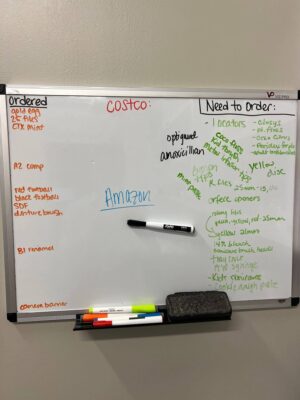
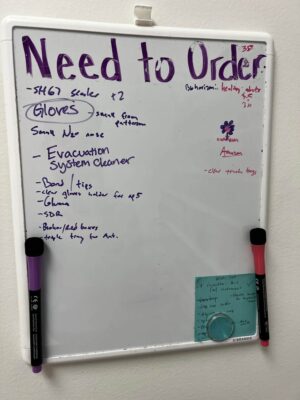
A dental inventory list gives your team one record of every supply, where it belongs and when to reorder it. Start with the free Excel template below. Then use this guide to set par levels, count stock and control waste.
Use these categories to build a dental office supply inventory list. Add the exact brand, unit size and supplier SKU approved by your clinical team.
Category
Starter items
Restorative
Composite, bonding agent, matrix bands, wedges and curing light barriers
Preventive and hygiene
Prophy paste, fluoride varnish, sealant, floss and prophy angles
Infection control
Gloves, masks, gowns, surface disinfectant and barrier film
Sterilization
Pouches, indicators, cleaner, distilled water and instrument wraps
Anesthesia
Carpules, needles, topical anesthetic and syringes
Endodontics
Files, paper points, gutta-percha, irrigant and temporary material
Surgical and implant
Sutures, blades, graft materials, implant parts and sterile drapes
Office and patient supplies
Printer paper, forms, bags, cups and patient care kits
How to Build Your Dental Inventory List
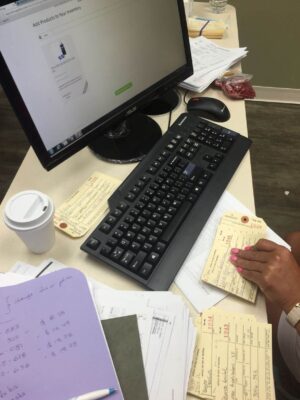
Export six to 12 months of purchase history from each supplier.
Combine duplicate item names and remove products the practice no longer uses.
Record the unit size, storage location and preferred supplier for each item.
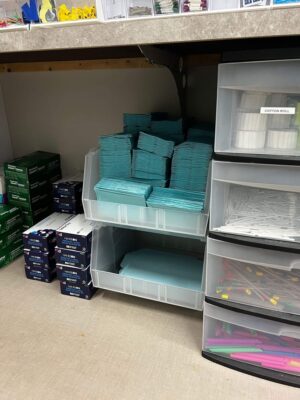
Count the stock in the main supply room and every treatment room.
Add par levels and reorder points after reviewing real use and supplier lead times.
Assign one person to approve changes to the master list.
Start Based on Your Role
Practice owners can begin with costs, waste and the key numbers to track.
Office managers can focus on reorder points, budgets, suppliers and audits.
Dental assistants can begin with cycle counts, ABC groups and storage rules.
Group practices can focus on one catalog and stock visibility across locations.
Inventory Tracking Methods
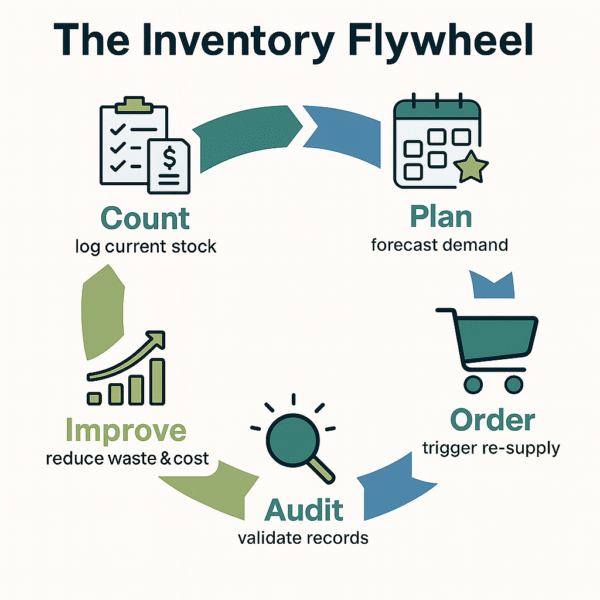
A list works only when the counts stay current. Tie the count schedule to each item’s cost, use rate and effect on patient care.
Cycle Counting for Dental Supplies
Cycle counting is a rolling stock check. Your team counts a small group of items on a set schedule instead of closing the office for a full count.
Count critical daily-use items each day or week.
Count steady-use items each month.
Count slow-moving or bulk items each quarter.
New teams can start with 20 supplies they can’t run out of. Compare the expected count with the actual count. A gap can point to missed receiving, unrecorded use or extra stock stored in treatment rooms.
ABC Groups for Count Priority
ABC groups help the team spend count time where it matters most.
A items have a high cost or direct effect on care. Count them often and control access.
B items have a moderate cost and steady use. Count them monthly.
C items are low-cost disposables. Spot-check them and reorder by the case or pack.
Rank supplies by yearly spend, use rate and clinical need. The exact groups can change as your data improves.
Just-in-Time Inventory With Safety Stock
Just-in-time inventory keeps less stock on hand and places orders close to the date of need. It works best for items with steady use and reliable delivery.
Use it for fast-moving supplies that arrive within a known lead time.
Keep more safety stock for items that can delay patient care.
Track actual delivery time and update the reorder point when delays become common.
Supplier Records and Backup Sources
Record a preferred supplier, backup supplier, lead time and current unit price for key items. Compare the same brand, size and quantity. A low item price can lose its value after shipping or a large minimum order.
Inventory Audits
Cycle counts catch routine errors. A full audit checks the accuracy of the master dental inventory list.
Run a light audit of A items and costly B items each quarter.
Count every clinical and office item once a year.
Use a second person to check high-value counts and order records.
Log the expected count, actual count, cost difference and reason for each large gap.
Cost and Waste Management
Dental inventory management affects cash flow. Excess stock ties up money. Expired stock wastes it. Clear reorder rules help the team avoid both problems.
Dental Supply Reorder Points
A reorder point tells the team when to buy more. Use this formula:
Reorder point = average daily use x lead time in days + safety stock
For example, a practice uses 40 anesthetic carpules per workday. Delivery takes five days and the practice keeps 100 carpules as a buffer. The reorder point is 300 carpules.
Review reorder points every three months and after a large change in patient volume. Track each location separately when sites have different use rates.
Dental Supply Budgets
Pull six to 12 months of supply purchases from your accounting records. Separate routine supplies from major equipment. Set a monthly budget based on the practice’s own collections, case mix and purchase history.
Track orders when they’re placed, even if they arrive next month. Require approval when an order would exceed the budget. Standard SKUs also make price checks more accurate.
Dental Inventory KPIs
Supply spending as a percentage of collections
Days of stock on hand
Expired or discarded supply cost
Stockouts that delay treatment
Supply cost per chair day
Waste Reduction in Dental Inventory
Place the item with the earliest expiration date at the front of the bin.
Buy a quantity the practice can use before the expiration date.
Check treatment rooms for extra stock before placing an order.
Record expired items and their cost in the inventory list.
Review the discard total each month. It shows which order sizes and storage habits need to change.
Software and Automation
Excel can manage a short dental inventory list. Software becomes useful when several people count stock, the same item sits in many rooms or the team needs automatic low-stock and expiration alerts.
Dental Inventory Software Checklist
Check whether the system can import your dental inventory list, update counts and warn the team before key supplies run low or expire.
Step 1: Check the Item Catalog
Look for fields for SKU, supplier, unit size and cost. Confirm that you can import a spreadsheet or purchase history.
Step 2: Test Count Updates
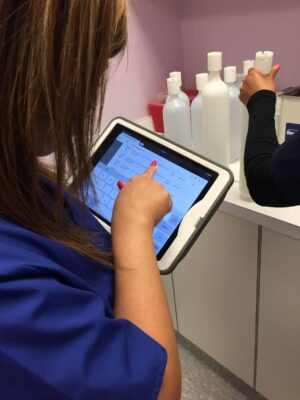
Enter counts on a phone or tablet. Test barcode scanning if your team plans to use it.
Step 3: Set Stock and Expiration Alerts
Set alerts for low stock and approaching expiration dates, then check who receives each alert.
Step 4: Compare Supplier Prices
Compare the same brand, unit size, shipping cost and order quantity before buying.
Step 5: Review Order Approvals
Confirm that the system supports spending limits and clear approval roles.
Step 6: Check the Activity Record
The record should show who changed a count, received an item or placed an order.
Test the software with a small set of real items. Check import speed, count updates and the order approval process.
ZenOne can import distributor history, track stock and compare supplier prices in one place.
Dental Inventory Spreadsheet Limits
The dental inventory spreadsheet works well for a single office with one person managing a limited number of items.
A spreadsheet gets harder to manage when several people edit copies, supplies sit in many rooms or the practice needs automatic alerts. Move to software when fixing the sheet takes more time than counting stock.
Barcode and RFID Tracking
Barcode scanning can record supplies when they arrive and when staff use them. Phone cameras work for light use. Dedicated scanners can help with large deliveries. RFID may fit costly items or equipment that moves between rooms.
Practice Management and Accounting Connections
Connecting dental inventory management software with other systems can reduce duplicate entry. Common connections send purchase orders to accounting or share supplier records.
Test units such as box, case and each before launch. Duplicate names or mismatched units can produce bad counts.
Inventory Activity Records
A useful activity record shows who received an item, changed a count or placed an order. Lot and expiration history also helps the team respond to recalls. Set user access based on each person’s job.
How ZenOne Helps Manage Dental Inventory
ZenOne can turn purchase history into an item catalog. Teams can record counts, set reorder points, compare supplier prices and keep one order record.
Try ZenOne free for 14 days to test its counts, price comparisons and ordering process with your own supplies.
Compliance and Safety
Inventory records support safer storage and faster recall checks. Follow the product label, manufacturer instructions and rules that apply to your practice.
Expiration and Sterility Records
Record the expiration date when supplies arrive.
Place soon-to-expire stock at the front of the storage bin.
Keep sterilization records for the period required by the rules that apply to your practice.
Store and count controlled items according to current federal and state requirements.
Lot Numbers and Dental Product Recalls
Record the lot number at receiving and note where the item is stored. Subscribe to recall notices from suppliers, manufacturers and the FDA.
Search the inventory list for the recalled lot.
Remove the affected stock and place it in a marked hold area.
Follow the recall notice and your practice’s patient follow-up process.
Record the removal, return or supplier credit.
Storage and Shelf-Life Controls
Follow each manufacturer’s directions for temperature, light, humidity and opened-product life. Use the dental inventory list to record special storage needs. Keep heavy cases on lower shelves and sharp items in marked containers.
Check items with six months or less remaining during each quarterly audit. Use, return or discard them according to the product directions and practice policy.
Team and Workflow
One person should own the master list and ordering process. Other team members can count shelves, receive deliveries and report low stock.
Common dental inventory mistakes and fixes
Mistake
Fix
Two people place the same order.
Keep purchase orders in one shared record.
Staff keep extra stock in treatment rooms.
Count room stock and match bin labels to the master list.
Supplies leave storage without a count update.
Make count updates part of the room restock process.
New stock hides older boxes.
Place the earliest expiration date at the front.
The physical count doesn’t match the list.
Review the receiving, use and adjustment records.
Staff Roles and Training
Name an inventory lead and a backup.
Teach new staff how to count, receive and store supplies.
Place short instructions where each task happens.
Review spending, expired stock and treatment-delaying stockouts each month.
Dental Inventory Across Multiple Locations
Use one item name, SKU and unit size across every site. Track on-hand counts by location so staff can transfer extra supplies before ordering more. Each site should have a named inventory lead and an approved emergency stock level.
A Four-Week Dental Inventory Reset
Week 1: Download the template, gather purchase records and build the master list.
Week 2: Count every storage area and remove duplicate item names.
Week 3: Set par levels and reorder points for the 20 most-used items.
Week 4: Assign count days, approval roles and a monthly review date.
Move Beyond a Manual Dental Inventory List
A spreadsheet works when one person manages a limited number of items. It becomes harder when several people edit the list, supplies sit in many rooms or the team needs low-stock and expiration alerts.
See what ZenOne can do for your practice. It can replace manual updates with live counts, supplier price checks and one ordering record.
Dental Inventory List Questions
Creating a Dental Supply List
List every item, its storage location and the quantity on hand. Add the supplier, unit size, par level, reorder point, lot number and expiration date. Review the list after each count.
Switching Dental Supply Vendors
Pull three to six months of orders and compare the same items across vendors. Include unit size, shipping and minimum order rules. Place a small test order before moving the full list.
Managing Dental Clinic Inventory With Less Work
Set par levels and reorder points, then cycle count high-use supplies each week. Use clear bin labels and one shared record. Add software when manual updates cause missed orders or duplicate purchases.
FAQ
What is dental inventory management?
Dental supply organization is the process of tracking every supply you own—how much, where it sits, and when to reorder—so patient care never stalls and cash isn’t locked in a closet.
What’s the difference between inventory and supplies in a dental office?
Inventory are clinical items tracked for quantity, cost, and expiry (anesthetic, composites, PPE). Supplies can include low-value office products (paper, pens) you don’t monitor as closely. Dental clinic inventory management should come first. With counts and reorder points; office supplies need only a monthly bulk check.
Is there a printable dental inventory list template I can start with?
Yes—download our free printable dental inventory list template (Excel), pre-filled with common SKUs. You can use it on paper first, then bulk-import into ZenOne or any inventory system later.
When should I switch from a spreadsheet to automated dental inventory software?
Rule of thumb: if you have more than 150 line items, two locations, or spend an hour a week fixing Excel errors, jump to automated dental inventory software. The time you save on counts, expiry alerts, and order approvals quickly outweighs the subscription cost.
Can inventory software let me order dental supplies online from multiple suppliers?
Good dental procurement software (including ZenOne) connects all your trusted distributors, shows real-time prices side-by-side, and lets you order dental supplies online in one checkout—no more ten open tabs.
How much should a private practice budget for dental supplies?
Many clinics target 4–5 % of monthly collections for clinical supplies. Track this KPI; if spend creeps higher, audit usage, renegotiate prices, or tighten reorder points.
Join 1400+ dental professionals, shop from your favorite
suppliers, compare prices instantly, and save over $17,000/year
Hi, I'm Tiger, the CEO at ZenOne, and I'm happy to personally ensure your success with ZenOne. Send me your latest invoice or a statement for a Free Savings Analysis.
Ask me a question:
Message Successfully Sent!
Thanks for getting in touch! A member of our team will respond to your message within the next 48 hours.
Every ZenOne trial begins with our most powerful plan, so you can explore all the features and savings without limits. After your trial, you can choose to stay at the full level or request to downgrade— whatever fits your practice best.
By joining Zen, you’re not just signing up for software—you’re joining a movement that empowers private practices to stay private. Every practice that joins adds to the collective volume we use to negotiate even better pricing for everyone.